 Tripperz
Set up the trip
Name, start time and description in the dashboard. Members only, or also on your club page.
Organize a club ride
From the invite to the last rider in the car park. Set up the ride in the dashboard, invite members and guests, and ride one route as a group, live on one map.
Mailing a route file, a group chat full of questions and on the day itself riders who are lost at the first traffic light. The bigger the group, the more time the organizer spends calling and waiting.
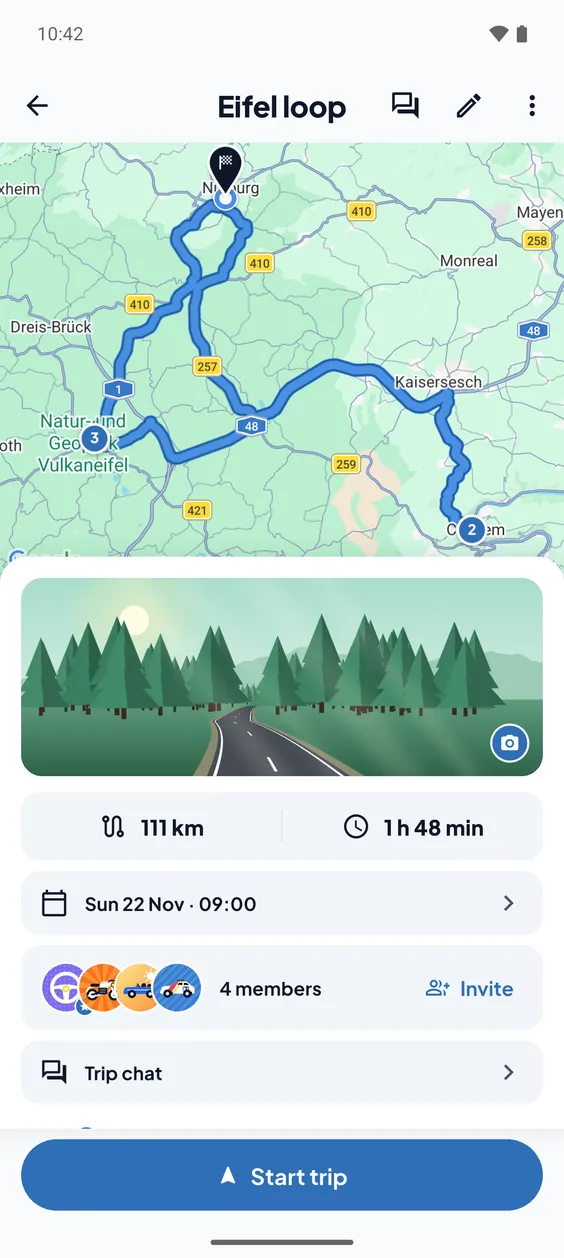
With Tripperz everything is in one trip: the route, the stops, who rides along and where everyone is right now.
In the dashboard you create the trip with a name, start time and description. You choose which members ride along and create a guest link for people who are not members yet. You also decide whether the trip is for members only or shows on your public club page.
The lead rider sets the route and the stops in the app. On the day you press Start and the trip is live for everyone. Every rider gets the same route with spoken turns and sees the group on the map.
Why Tripperz
Less to arrange before, less searching on the way.
Name, start time and description in the dashboard. Members only, or also on your club page.
Pick members from your organization or send a guest link to someone who is not a member. A guest link works once.
The lead rider sets the route and the stops in the app. Every rider navigates the same route.
Everyone is on the map, including whoever fell behind or took another turn.
Fuel, coffee and lunch stops in the route: up to 50, 100 or 200 per trip, depending on your plan.
The trip shows up in the analytics of your organization, with the number of riders.
How it works
From plan to riding.
In the dashboard: name, start time, description and whether the trip is public.
Pick members from your organization or share a guest link.
The lead rider picks the route and the stops in the app.
Press Start. The trip is live for everyone and the group rides together.
FAQ
Create an organization at dashboard.tripperz.eu and set up the trip there with a name, start time and description. Pick the members who ride along or share a guest link. The lead rider sets the route and the stops in the app. On the day you start the trip and everyone rides the same route, live on one map.
It depends on your plan: 20 riders per trip on Club, 50 on Business and 100 on Enterprise. With Custom we agree on more. A normal ride with friends, without an organization, has room for 4.
Yes. Create a guest link for the trip in the dashboard. The link works once: the guest opens it, joins with the free app and rides along.
Yes: 2 trips at the same time on Club, 5 on Business and 8 on Enterprise. Planned and live trips both count.
No. Only the organization has a subscription. Members and guests ride along with the free Tripperz app and get the same route and the live map.
Get started
Download Tripperz on mobile for trips and live tracking. Manage subscriptions and organizations from the web dashboard.
iPhone? The iOS app is in a private beta through TestFlight. Request an invite
Questions? info@basbakens.nl